Remove FRP Huawei WIKO HI ENJOY 70 PLUS 5G
Remove FRP Huawei WIKO HI ENJOY 70 PLUS 5G (JEY-AN00) with TSM PRO Edition over Mediatek Brom V1. This post includes the complete device details — model a55_a55, Android 11, MT6833 chipset — plus the full FRP removal log with the lock cleared and the device rebooted successfully.
Tool Settings Custom
- Device :- Mediatek
- Loader :- Brom V1
Connection Info
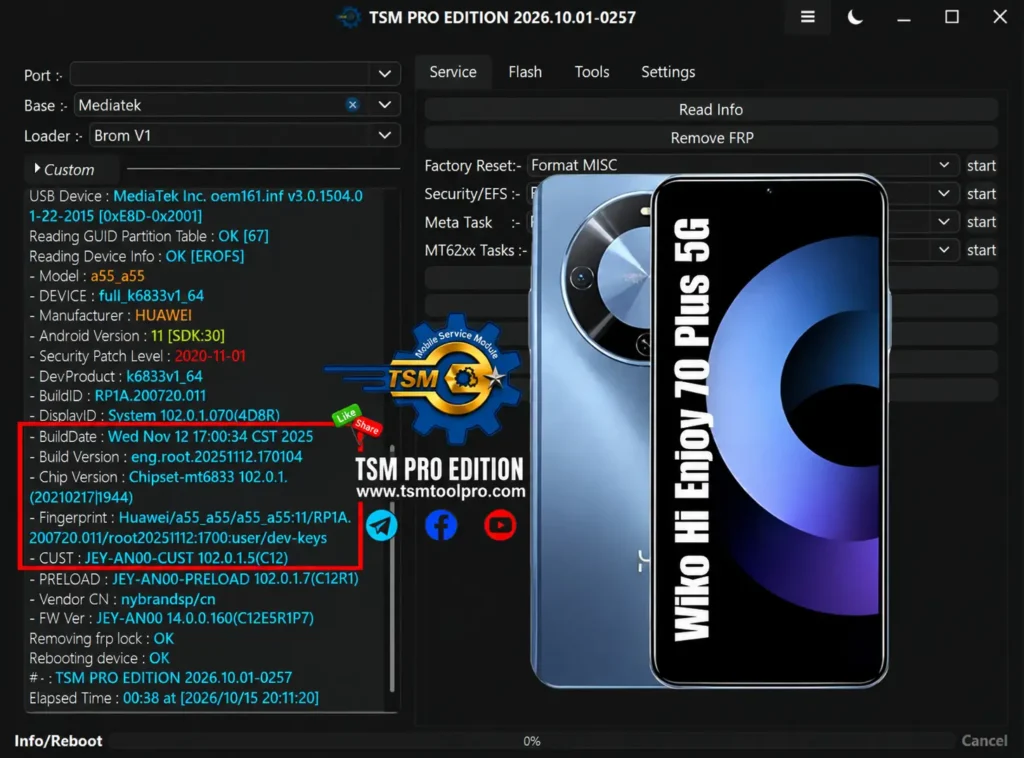
- USB Device : MediaTek Inc. oem161.inf v3.0.1504.0 22-2015 [0xE8D-0x2001]
Partition Info
- Reading GUID Partition Table : OK [67]
- Reading Device Info : OK [EROFS]
Device Details
- Model : a55_a55
- DEVICE : full_k6833v1_64
- Manufacturer : HUAWEI
- Android Version : 11 [SDK:30]
- Security Patch Level : 2020-11-01
- DevProduct : k6833v1_64
- BuildID : RP1A.200720.011
- DisplayID : System 102.0.1.070(4D8R)
- BuildDate : Wed Nov 12 17:00:34 CST 2025
- Build Version : eng.root.20251112.170104
- Chip Version : Chipset-mt6833 102.0.1.
- 02102171944)
- Fingerprint : Huawei/a55_a55/a55_a55:11/RP1A.
- 072011/121121700:user/dev-keys
- CUST : JEY-AN00-CUST 102.0.1.5(C12)
- PRELOAD : JEY-AN00-PRELOAD 102.0.1.7(C12R1)
- Vendor CN : nybrandsp/cn
- HW Ver : JEY-AN00 14.0.0.160(C12E5R1P7)
FRP Operation
- Removing frp lock : OK
- Rebooting device : OK
- Tool : TSM PRO EDITION 2026.10.01-0257
- Elapsed Time : 00:38 at [2026/10/15 20:11:20]