
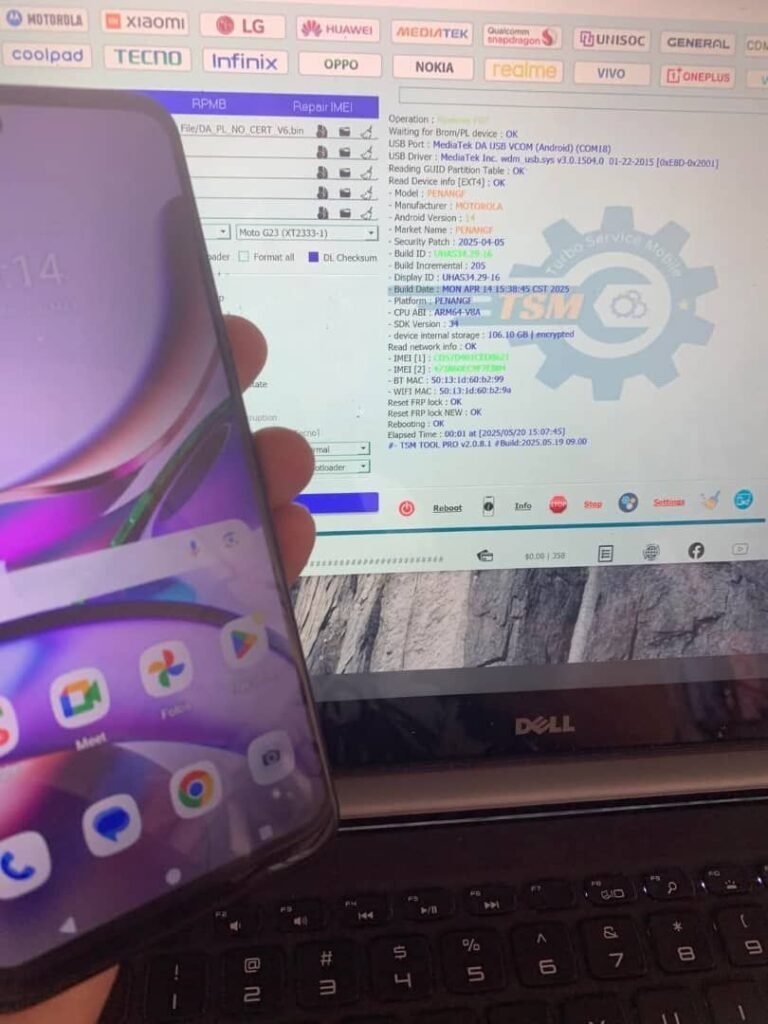
MOTOROLA G23 XT2333-1 Android 14 FRP Lock Remove With TSM Tool
Device Information
| BRAND | MOTOROLA G23 |
|---|---|
| MODEL | XT2333-1 |
| CPU | MediaTek |
| Android Version | 14 |
| Security Patch | 2025-04-05 |
| Mode | BROM / MTK Flash Mode |
| Method | FRP Lock Remove |
| Tool | TSM TOOL Official |
What is KG Lock?
| KG Lock (Knox Guard) is a security feature found on many Android devices that prevents unauthorized access after a factory reset. It locks the device until the original Google account credentials are used. |
Why KG Lock Happens?
|
Why Use TSM Tool Pro?
|
Step-by-Step Guide
|
Safety Tips & Precautions
|
What is FRP Lock?
| FRP (Factory Reset Protection) is a security feature by Google that prevents use of a stolen device. Once factory reset is performed, the device asks for the original Google account to proceed. |
Real Technician Example
| Technician | Location | Contact |
|---|---|---|
| Abrm Baloch | A.One Mobile Shop, Gwadar, Balochistan |
Summary Table
| Feature | Details |
|---|---|
| Device | MOTOROLA G23 XT2333-1 |
| Tool Used | TSM TOOL Pro |
| Method | FRP Remove in BROM Mode |
| Security Patch | 2025-04-05 |
Frequently Asked Questions
Q1: Can I use TSM Tool without a box?
A: Yes, TSM Tool Pro works without a box or dongle for most functions.
A: Yes, TSM Tool Pro works without a box or dongle for most functions.
Q2: Is this method safe for Android 14?
A: Yes, it’s tested for Android 14 (2025-04-05 Patch).
A: Yes, it’s tested for Android 14 (2025-04-05 Patch).
Q3: What if my PC doesn’t detect the phone?
A: Reinstall MTK USB drivers and try using a different USB port.
A: Reinstall MTK USB drivers and try using a different USB port.
Q4: Will this erase my data?
A: FRP removal itself doesn’t erase data, but it’s advised to backup beforehand.
A: FRP removal itself doesn’t erase data, but it’s advised to backup beforehand.