
TSM TOOL PRO V2.4.0 – Samsung Android 16 Remove FRP Lock 2026
Discover the latest breakthrough with TSM Tool Pro V2.4.0, engineered to efficiently remove FRP Lock on Samsung devices running Android 16, ensuring your device gets back into your hands smoothly and securely.
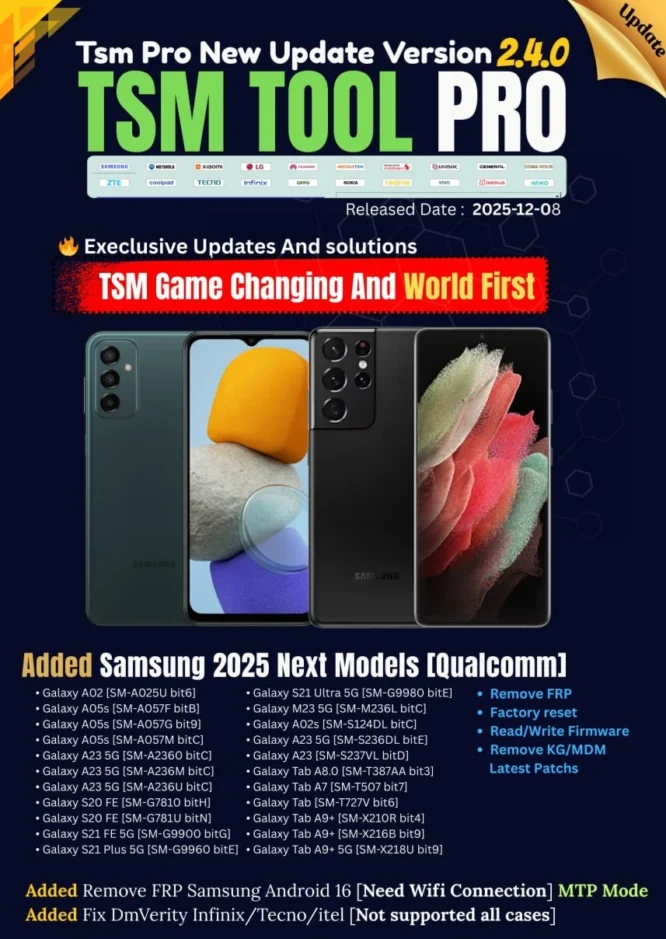
🔥 TSM Game Changing And World First 🔥
🔥 Execlusive Updates And solutions 🔥
Added New Updates of Samsung 2025 Next Models [Qualcomm]:
- Remove FRP
- Factory reset
- Read/Write Firmware
- Remove KG/MDM Latest Patchs
Supported Models:
- Galaxy A02 [SM-A025U bit6]
- Galaxy A05s [SM-A057F bitB]
- Galaxy A05s [SM-A057G bit9]
- Galaxy A05s [SM-A057M bitC]
- Galaxy A23 5G [SM-A2360 bitC]
- Galaxy A23 5G [SM-A236M bitC]
- Galaxy A23 5G [SM-A236U bitC]
- Galaxy S20 FE [SM-G7810 bitH]
- Galaxy S20 FE [SM-G781U bitN]
- Galaxy S21 FE 5G [SM-G9900 bitG]
- Galaxy S21 Plus 5G [SM-G9960 bitE]
- Galaxy S21 Ultra 5G [SM-G9980 bitE]
- Galaxy M23 5G [SM-M236L bitC]
- Galaxy A02s [SM-S124DL bitC]
- Galaxy A23 5G [SM-S236DL bitE]
- Galaxy A23 [SM-S237VL bitD]
- Galaxy Tab A8.0 [SM-T387AA bit3]
- Galaxy Tab A7 [SM-T507 bit7]
- Galaxy Tab [SM-T727V bit6]
- Galaxy Tab A9+ [SM-X210R bit4]
- Galaxy Tab A9+ [SM-X216B bit9]
- Galaxy Tab A9+ 5G [SM-X218U bit9]
Added Remove FRP Samsung Android 16 [Need Wifi Connection] MTP Mode
Added Fix DmVerity Infinix/Tecno/itel [Not supported all cases]
Guide Video
Remove FRP Lock Samsung Android 16 😍
What is FRP Lock?
Factory Reset Protection (FRP) is a security feature integrated into Android devices running Lollipop 5.1 and higher. It’s designed to prevent unauthorized access to your device if it’s lost or stolen. When a device is factory reset without first removing the linked Google account, FRP locks the device, requiring the original Google account credentials to set it up again. This acts as a robust theft deterrent.
How To Bypass FRP Lock In Android Devices:
Bypassing FRP typically involves specialized tools like TSM Tool Pro. These tools utilize software vulnerabilities or specific device modes (like MTP or Download Mode) to inject commands that disable or circumvent the FRP verification process. It’s a technical procedure often requiring specific drivers and software knowledge to execute successfully.
Why Remove FRP Locks?
Legitimate Reasons: While FRP is a security feature, there are legitimate reasons to bypass it. These include forgetting your Google account credentials after a factory reset, buying a used device without the previous owner’s account removed, or needing to regain access to a device whose owner is no longer available. In such cases, professional tools become essential.
Common Triggers for FRP Lock:
- Accidental Factory Reset: Performing a hard reset without removing the Google account.
- Forgot Google Account: Inability to recall the linked Gmail ID or password.
- Used Device Purchase: Buying a device where the previous owner didn’t remove their account.
- Security Lockout: Device locked due to multiple incorrect attempts or suspected security breach.
TSM Tool Pro: Your One-Click FRP Solution
TSM Tool Pro V2.4.0 stands out as a leading solution for tackling FRP locks on Samsung devices, including the latest Android 16 versions. Its “1-Click FRP Remove” functionality is designed for efficiency and ease of use, making complex unlocking procedures accessible to everyone.
- User-Friendly Interface: Navigate complex processes with a simple, intuitive design.
- Blazing Fast: Quickly bypass FRP without lengthy waiting times.
- High Success Rate: Engineered for maximum compatibility and effectiveness across supported models.
- Dedicated Support: Access to expert assistance for any challenges you might face.
Step-by-Step Guide to Remove FRP Lock
Step 1: Download TSM Tool Pro V2.4.0. Obtain the latest version from the official website.
Step 2: Install and Launch. Install the software on your PC and run it as administrator.
Step 3: Connect Your Device. Connect your Samsung device to the PC via USB cable while it’s in MTP mode (usually the default state on the FRP screen). Ensure a stable WiFi connection on the device.
Step 4: Select FRP Remove Option. In TSM Tool Pro, navigate to the Samsung tab and select the “Remove FRP Android 16” option.
Step 5: Initiate Process. Click “Start” or “Remove FRP” and follow any on-screen prompts. The tool will communicate with your device and bypass the FRP lock.
Safety Tips & Precautions
- Backup Data: Always back up important data before any flashing or unlocking procedure.
- Charge Device: Ensure your device has at least 50% battery to prevent interruptions.
- Stable Connection: Use a reliable USB cable and ensure a stable PC connection.
- Official Source: Download TSM Tool Pro only from its official website to avoid malware.
- Legal Use: Use the tool responsibly and only on devices you own or have explicit permission to modify.
Device Specifications for FRP Bypass
- Brand: Samsung
- Model Range: Galaxy A/S/M/Tab Series
- Android Version: Android 16 (Next Models)
- CPU: Qualcomm Chipsets
- Security Patch: Latest available (2025-2026)
- Method: MTP Mode (WiFi Connection Req.)
Real Success Story

Alex “The Fixer” Rivera
Location: São Paulo, Brazil 🇧🇷
Earnings for this unlock: $6 USD
“A client brought me a new Samsung Galaxy A05s, locked with FRP after a botched update. I thought it would be a nightmare, but TSM Tool Pro V2.4.0 came through like a charm! Connected it, a few clicks, and boom – unlocked! The client was thrilled, and I made a quick $6. This tool is a lifesaver for my business!”
TSM Tool Pro vs. Manual Methods
| Feature | TSM Tool Pro V2.4.0 | Manual FRP Bypass |
|---|---|---|
| Time Required | 5-10 Minutes | 30-60+ Minutes |
| Skill Level | Beginner-Friendly | Advanced/Tech-Savvy |
| Error Risk | Low | High |
| Device Compatibility | Broad (Specific Models) | Limited/Model-Specific |
Conclusion
TSM Tool Pro V2.4.0 is your ultimate companion for bypassing FRP locks on Samsung Android 16 devices. With its cutting-edge features and user-friendly design, regaining access to your device has never been easier or more reliable. Don’t let FRP locks hold you back – empower yourself with the best tool on the market!
Frequently Asked Questions (FAQs)
Extra Bonus Info: Advanced Features
Beyond FRP removal, TSM Tool Pro V2.4.0 offers a suite of advanced features for comprehensive device management. This includes robust firmware flashing capabilities, allowing you to upgrade, downgrade, or repair your device’s software. Its factory reset option is invaluable for preparing devices for resale or addressing deep-seated software issues.
- Firmware Management: Seamlessly read, write, and manage device firmware.
- KG/MDM Removal: Support for removing Knox Guard and Mobile Device Management locks on newer patches.
- Fast & Reliable Operations: Engineered for quick execution and minimal risk during critical operations.
Disclaimer
The information provided in this article is for educational and informational purposes only. TSM Tool Pro is intended for legal use by authorized individuals on devices they own or have explicit permission to operate on. Any misuse of this software or information is strictly at the user’s own risk. We do not condone or support illegal activities such as unlocking stolen devices.
Table of Contents
- TSM TOOL PRO V2.4.0 – Samsung Android 16 Remove FRP Lock 2026
- 🔥 TSM Game Changing And World First 🔥
- Added New Updates of Samsung 2025 Next Models [Qualcomm]:
- Supported Models:
- Guide Video
- Remove FRP Lock Samsung Android 16 😍
- What is FRP Lock?
- How To Bypass FRP Lock In Android Devices:
- Why Remove FRP Locks?
- Common Triggers for FRP Lock:
- TSM Tool Pro: Your One-Click FRP Solution
- Step-by-Step Guide to Remove FRP Lock
- Safety Tips & Precautions
- Device Specifications for FRP Bypass
- Real Success Story
- Alex “The Fixer” Rivera
- TSM Tool Pro vs. Manual Methods
- Conclusion
- Frequently Asked Questions (FAQs)
- Extra Bonus Info: Advanced Features
- Disclaimer